
Let students explore before they arrive.
Orienteer turns your 360° photos into a campus tour that runs in any browser. Look around below, then tap a marker.
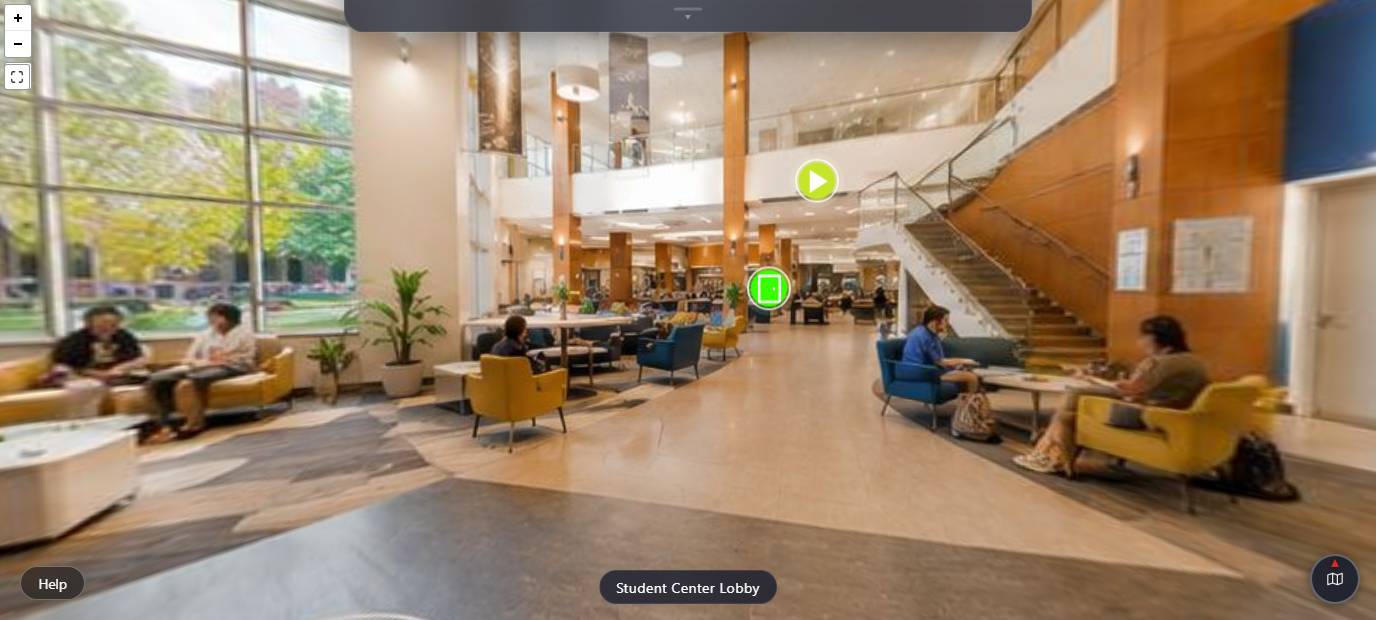
Try the demo tour
Look around a sample student center lobby. Tap the markers, open the map, meet the guide.
Drag to look around. Door markers move you between rooms. The others open a video, a voice guide or information.
Sample campus, not a real school.
Three steps to a live tour.
-
Upload your photos
Drop in 360° panoramas or flat images. Name each place, like “Student lounge”.
Drop photos here360° or flat, JPG or PNGStudent lounge360° · uploadedReady -
Add hotspots
Click where something is, pick a type, write the text. Link rooms together into a route.
Student ServicesInfo · hours and contactInfoGo to East WingOpens the next sceneLinkWelcome videoPlays in the info panelVideo -
Share one link
Publish with one switch. Send the link, or paste one line into your admissions page.
orienteer.io/tour/?institution=your-schoolCopy<iframe src="https://orienteer.io/tour/?institution=your-school"></iframe>
Then see what visitors do.
Anonymous analytics show views, how many finish a guided tour, and where they stop. (Sample figures.)
Scene views1,284
Finished tour62%
Avg scenes6.4
Three plans. Fourteen days to try one.
A card is required to start the trial. Cancel before day 14 and you pay nothing.
Starter
$29 a month
10 scenes, 1 GB storage.
Standard
$69 a month
50 scenes, 5 GB storage.
Pro
$149 a month
Unlimited scenes, 20 GB storage.
